Quick entry
Record an expense in one line so the budget stays current.
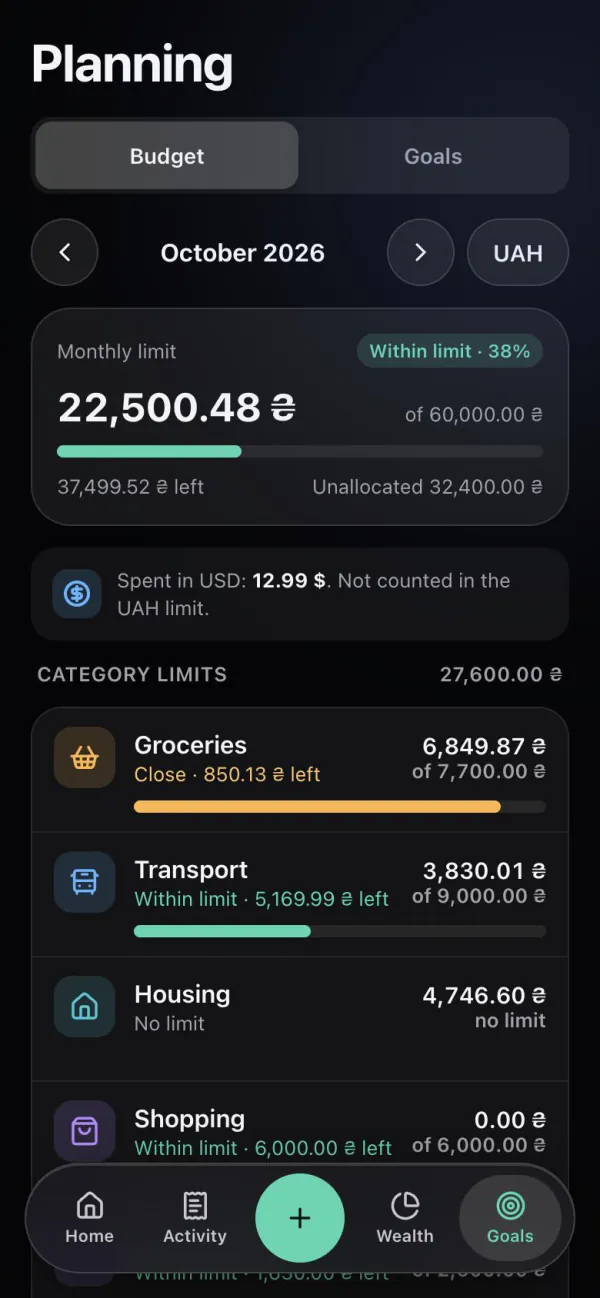
In Monnex you set a monthly spending limit and separate limits for categories such as groceries or cafés. Home shows “Safe to spend today”: what is left of the monthly limit divided by the days left in the month. The bot warns you in Telegram when a category or the month reaches 80% and 100% of its limit.
Updated
Limits
The monthly limit covers all spending of the budget month; category limits split it into groceries, transport, cafés or anything you track. Every expense you record — in one line, through the bot or from a statement — is counted against them straight away.
Safe to spend today
Safe to spend today = (monthly limit − spent this month) ÷ days left in the month. If you spend less today, tomorrow’s figure grows; if you spend more, it shrinks — the month stays within the limit either way.
Example: with a monthly limit of 30,000 ₴, 18,000 ₴ already spent and 10 days left, the figure is (30,000 − 18,000) ÷ 10 = 1,200 ₴ for today.
Facts
Questions
Set a monthly limit. Home then shows “Safe to spend today”: what is left of the limit divided by the days left in the month.
Yes. Add a limit to any expense category, as many as you need; the monthly limit still covers the total.
When a category or the whole month reaches 80% and 100% of its limit, the bot sends an alert in Telegram — if you turn the alerts on.
No. Budgets with alerts are part of Free, without a limit on how many you create.
Related
Record an expense in one line so the budget stays current.
Put what is left of the budget towards a goal.
A step-by-step guide with or without an app.
Open Monnex, add a limit and see today’s figure on Home.